Self-hosted movie & TV platform

Build your own streaming service.

Films and television in dedicated engines, metadata that imports itself, a player that remembers where everyone stopped — and subscriptions, purchases, rentals and video ads to pay for it. On your own hosting, under your own brand.

From $49one purchaseno subscriptionyours forever

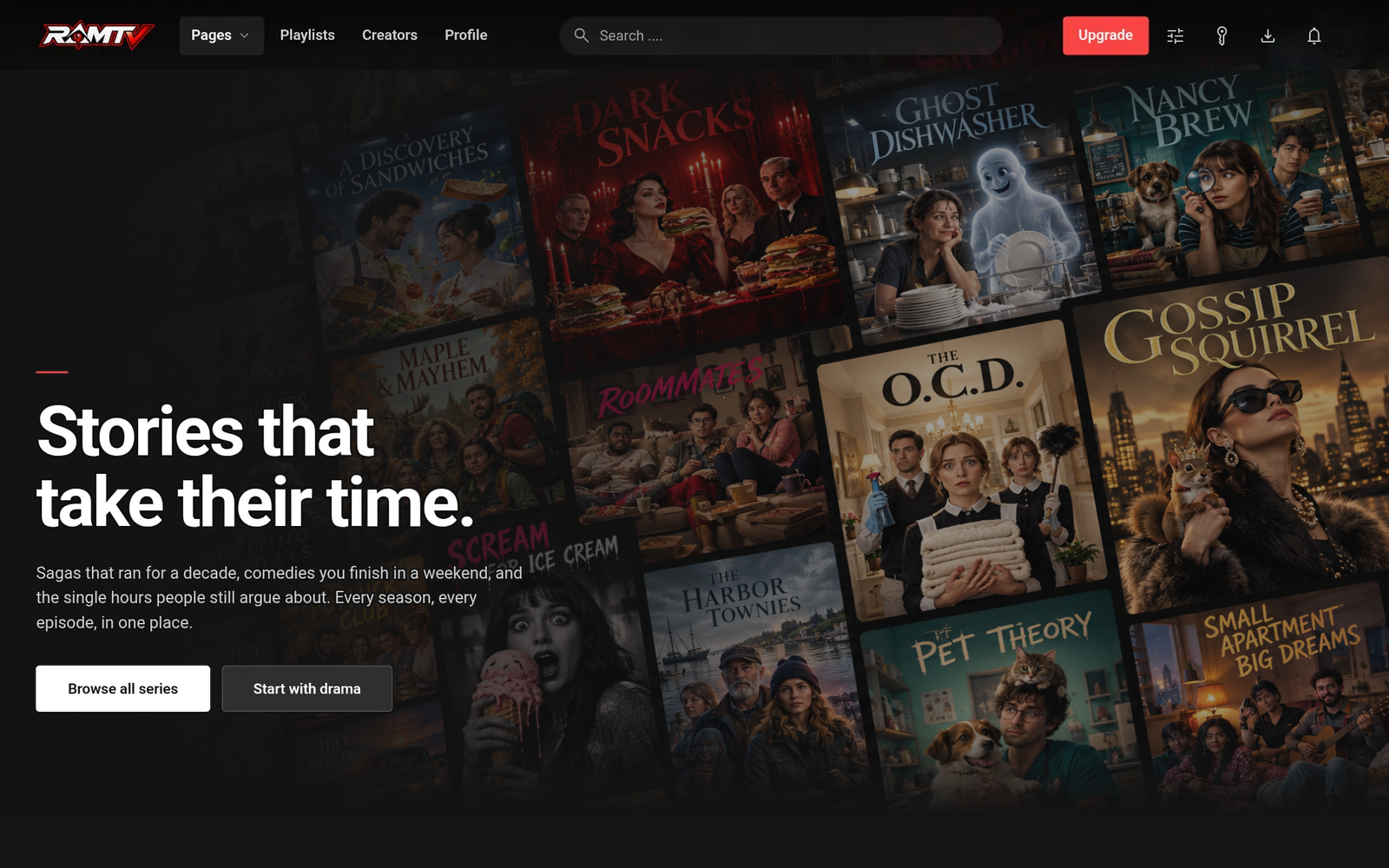
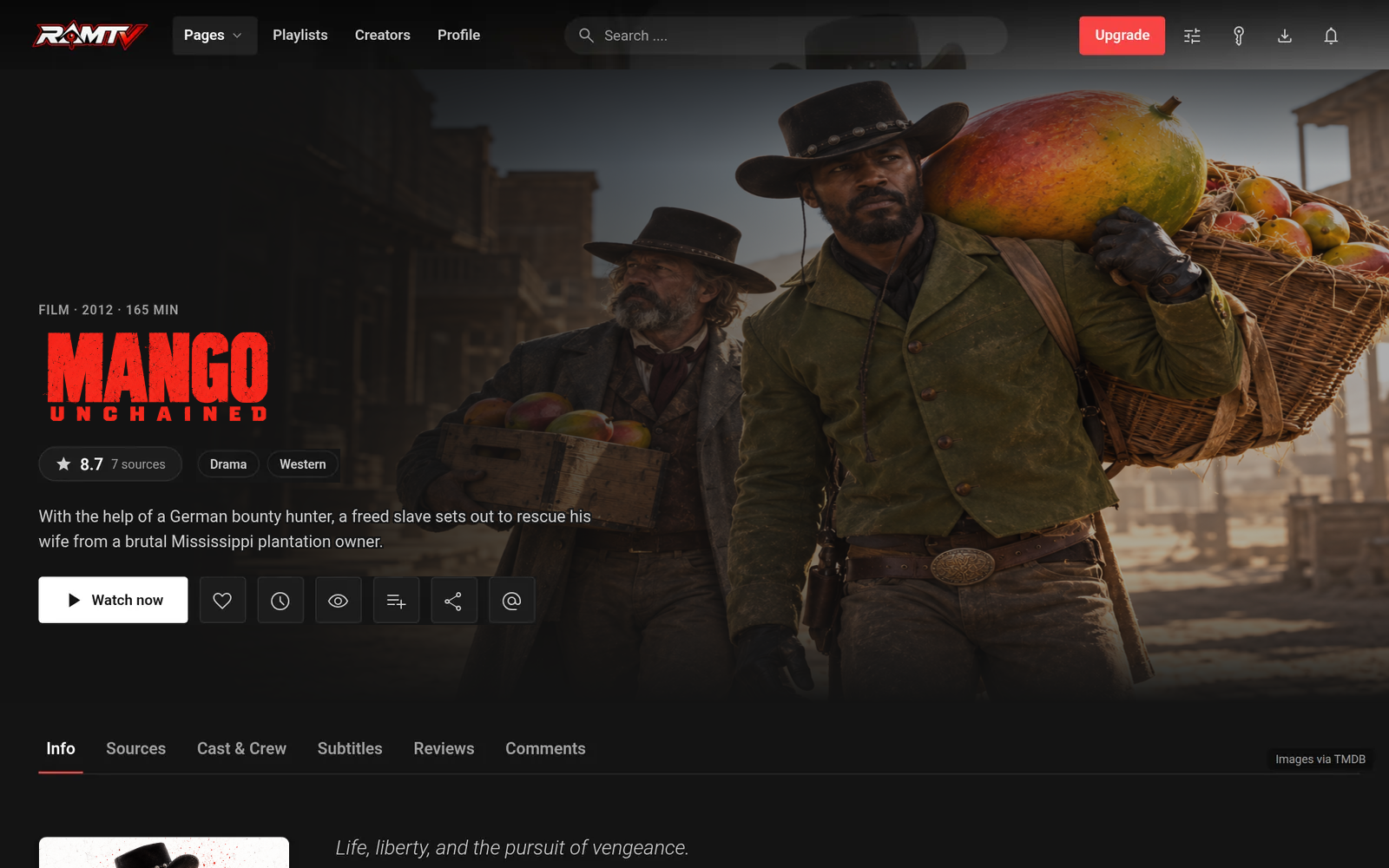
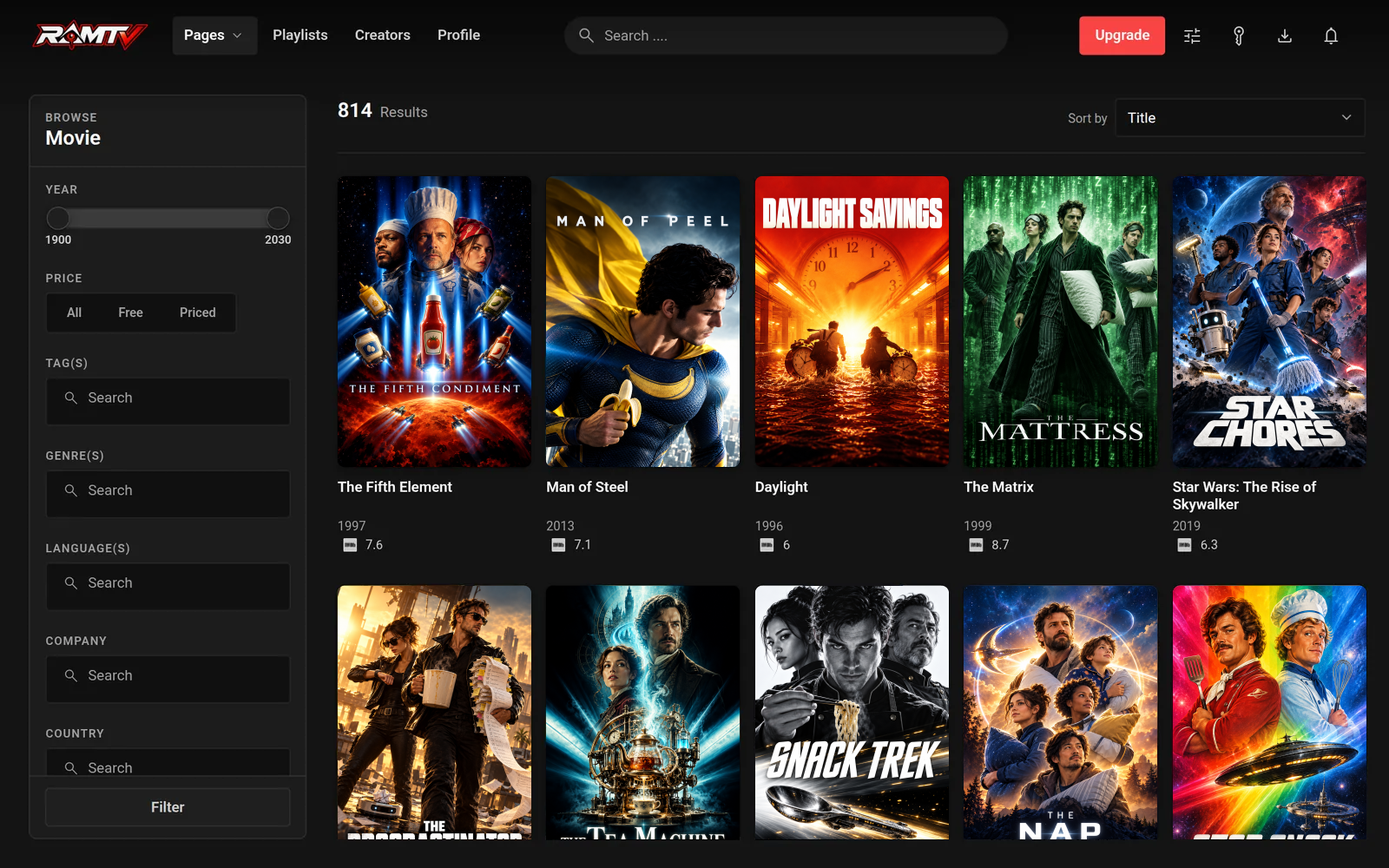
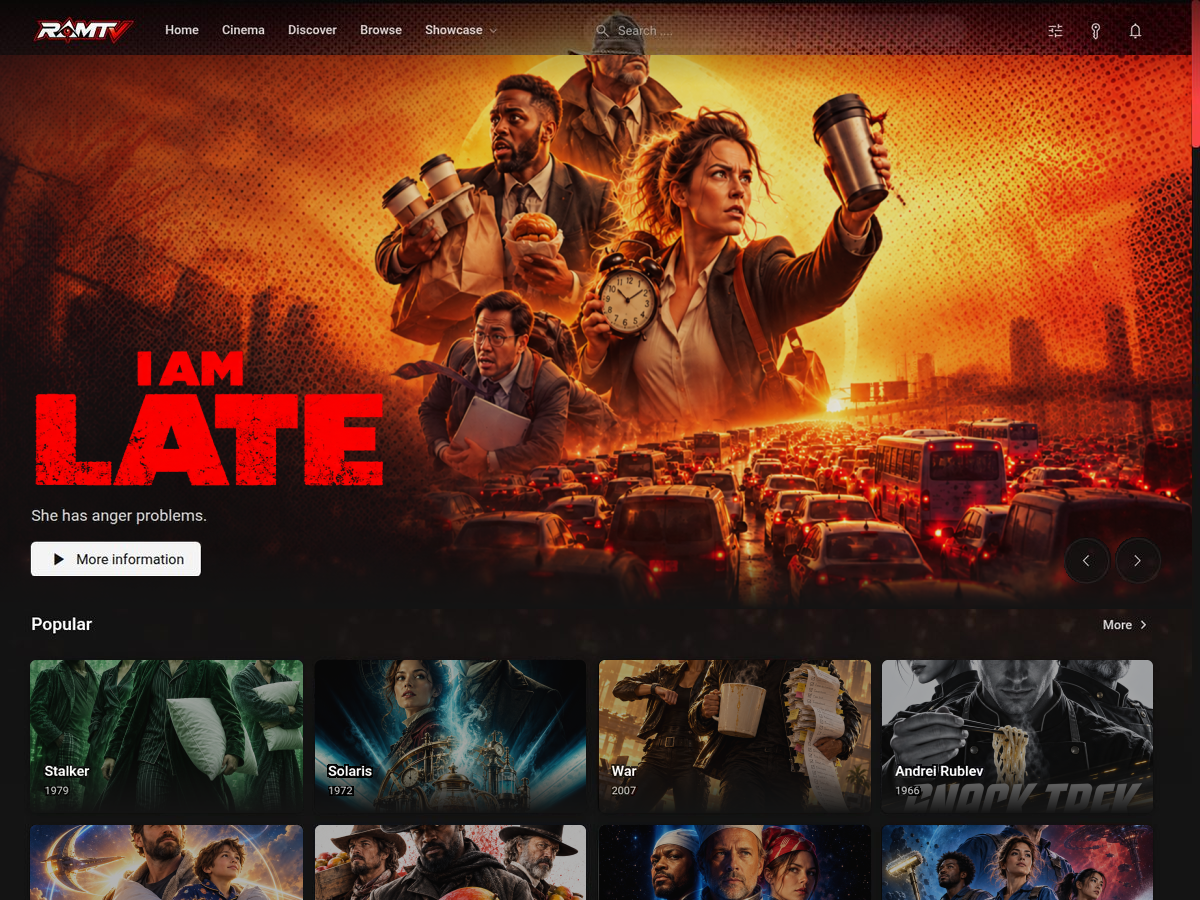
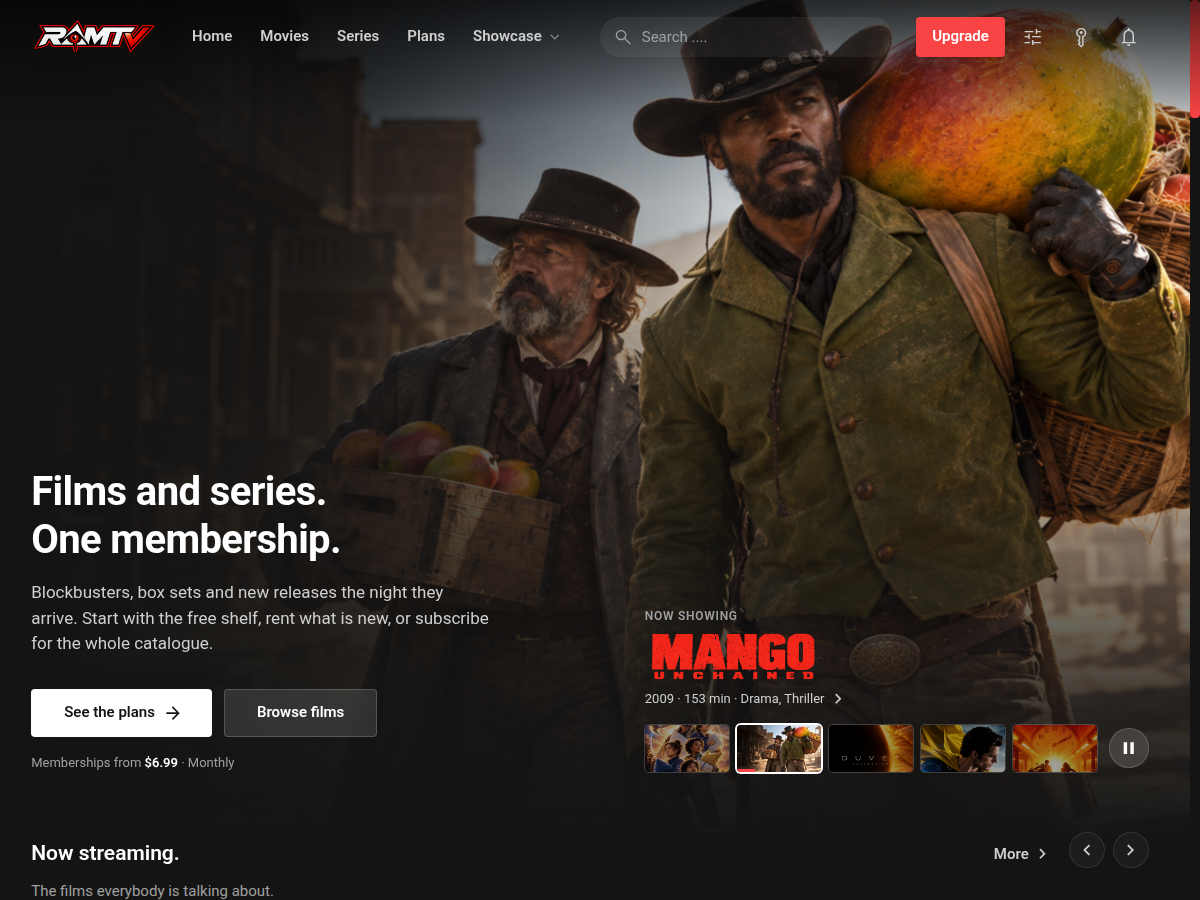
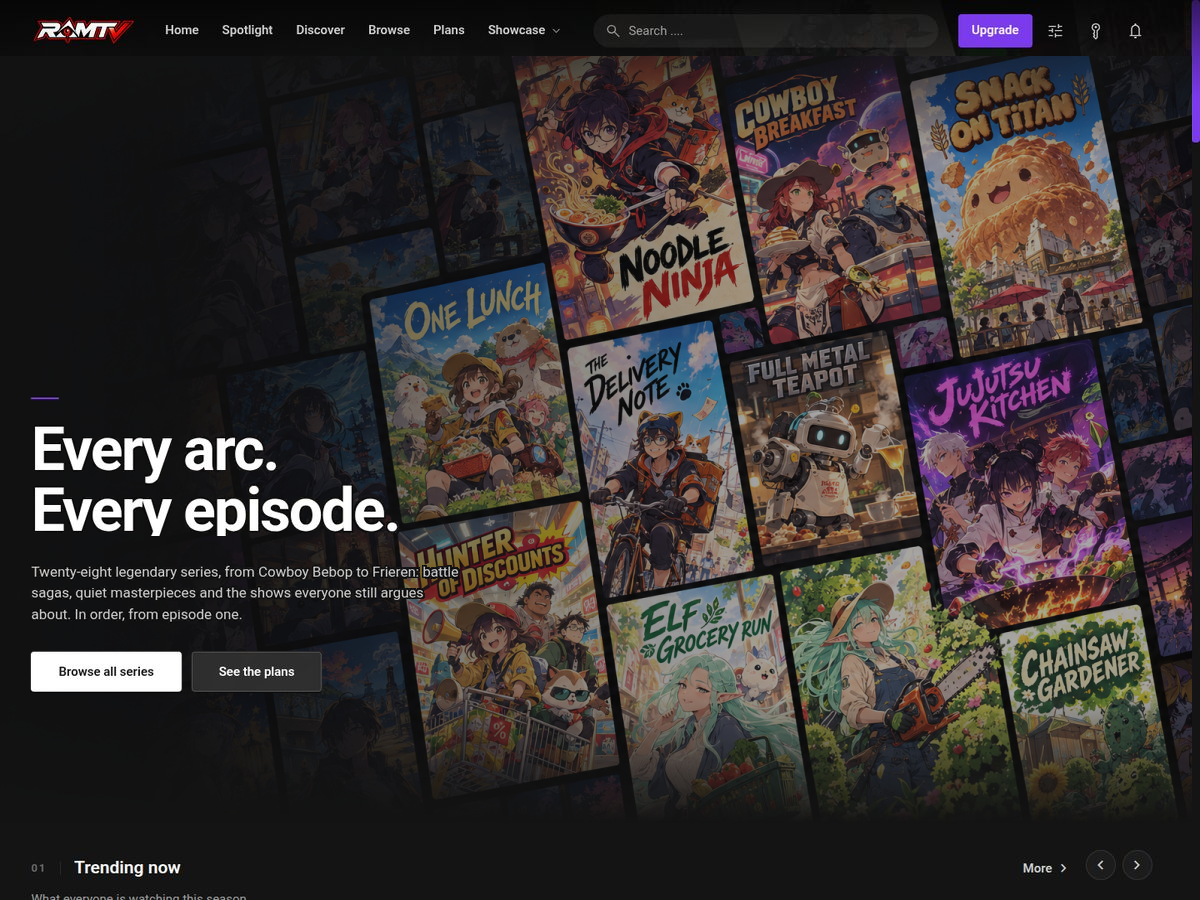
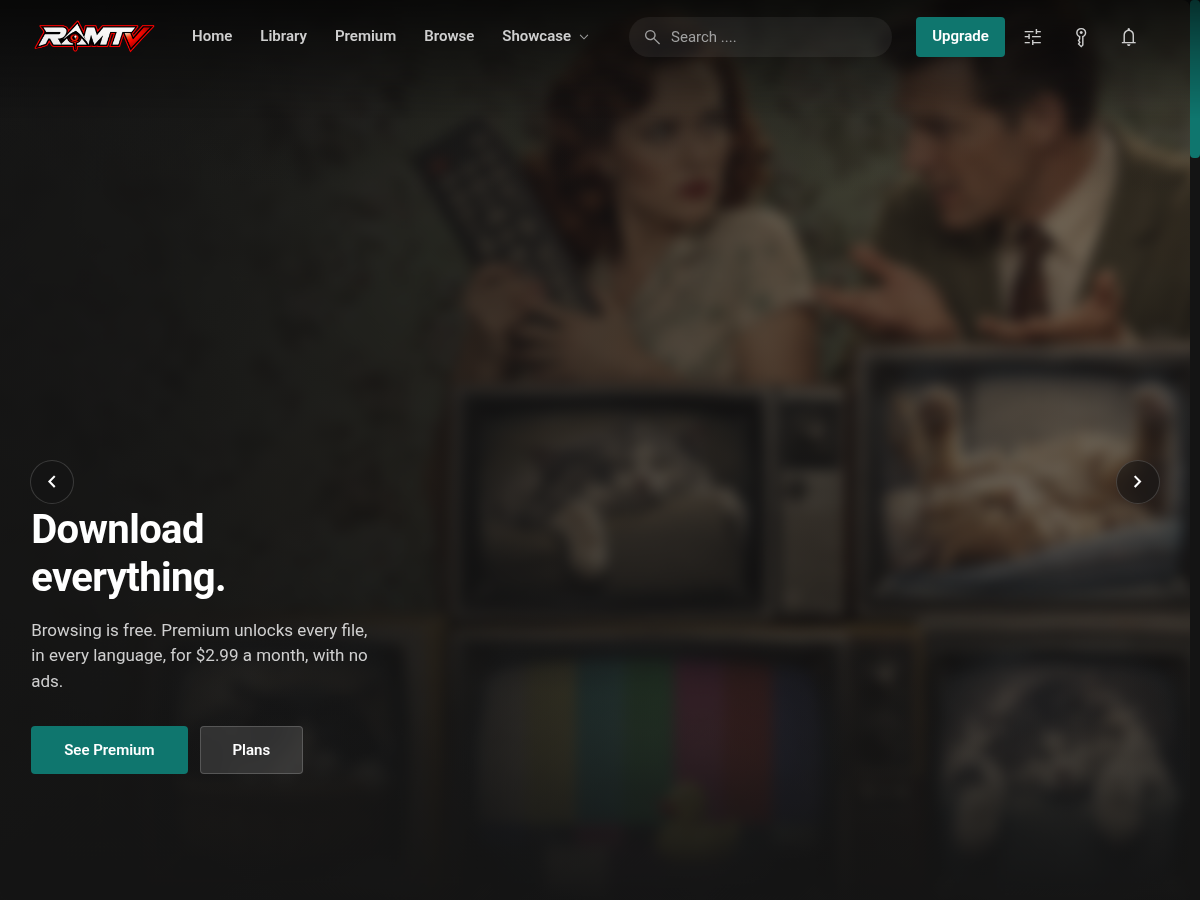
A RamTV TV landing page built with PageBuilder A RamTV film page with backdrop, title logo, rating and watch actions The RamTV browse page with filters and a poster grid

Busyowl presents RAMTV a self-hosted platform for

Movie libraries & on-demand servicesTV series, seasons & episode cataloguesSubscription, rental & premium platforms

Screens from a free, non-commercial RamTV demo install Film & TV data and artwork by TMDB

8 personal shelves on every viewer's home page
5 ratings sources, from IMDb to Letterboxd
3 subtitle providers, plus your own uploads
15 storage backends to keep video off your server
From a running install

Every title is a destination.

Title pages carry the artwork, ratings, credits, sources and subtitles viewers look for, and the catalogue behind them is connected: one person, one filmography, across films and series.

ramtv · film
RamTV film page with backdrop, logo, rating, genres and watch actions
Film page Backdrop, title logo, rating, genres and one-tap watchlist, like and share.
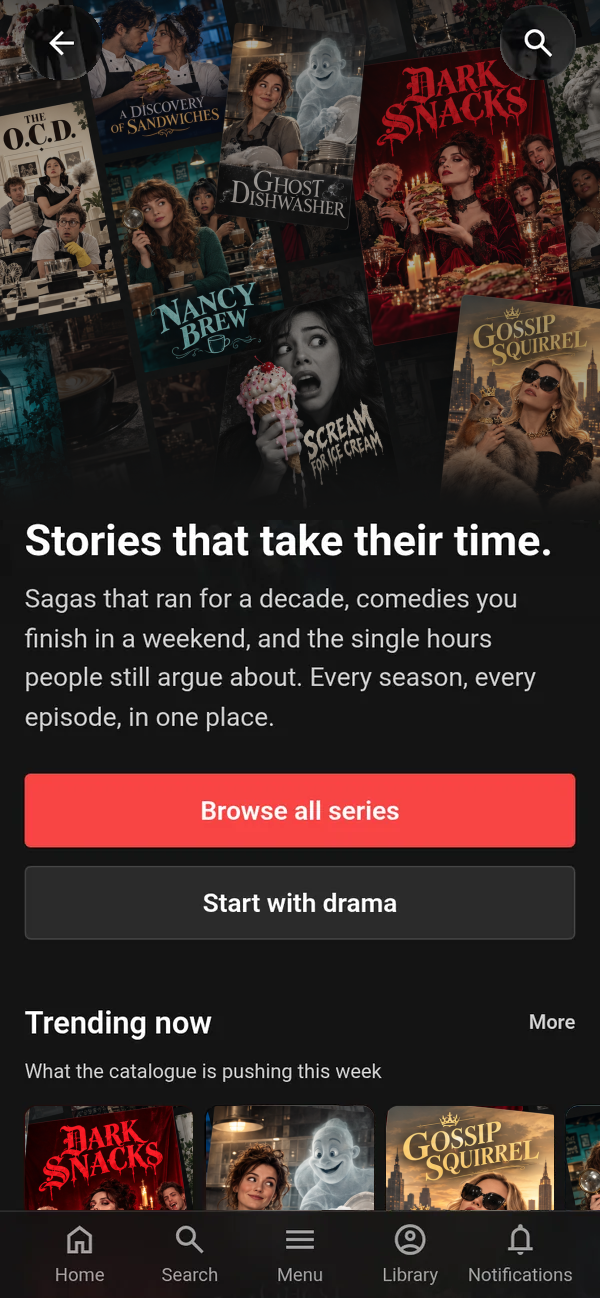
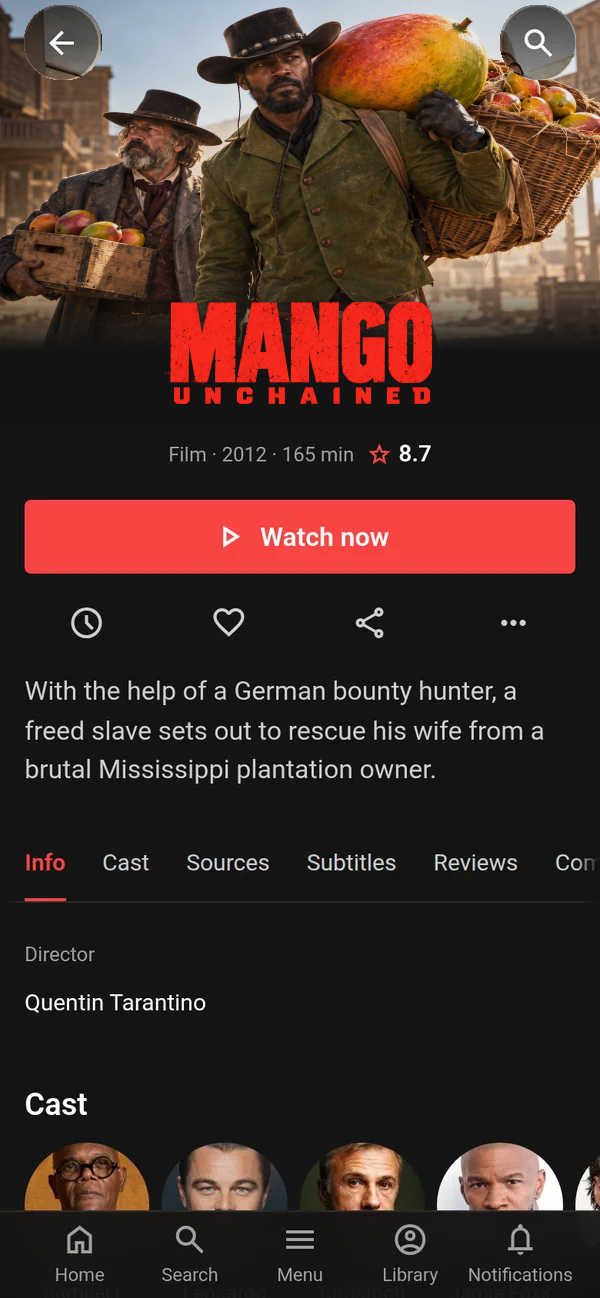
The same film page on a phone
On a phone A mobile layout of its own, with a bottom tab bar.
ramtv · series
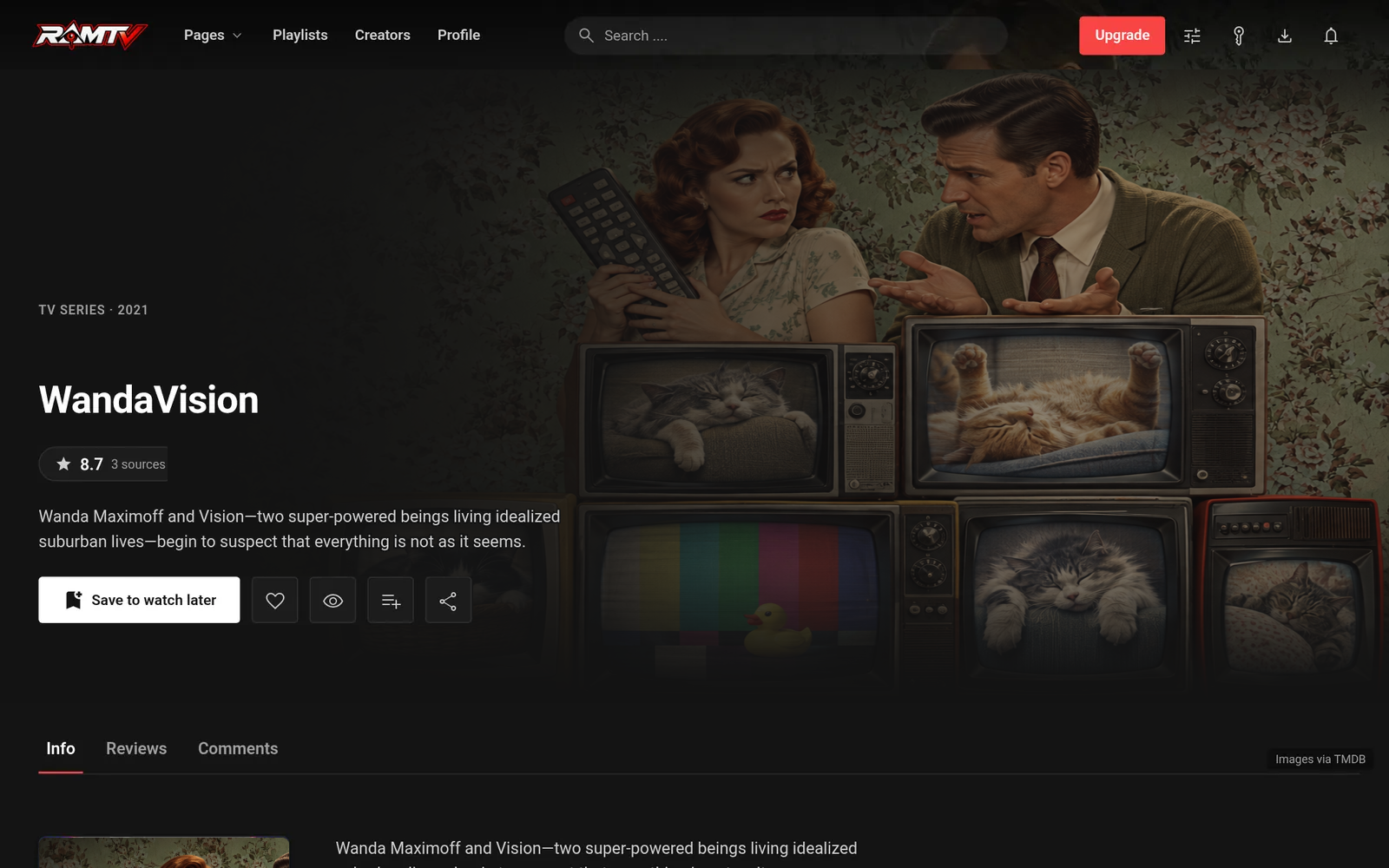
RamTV series page
Series page Series, seasons and episodes come with the premium TV plugin.
ramtv · person
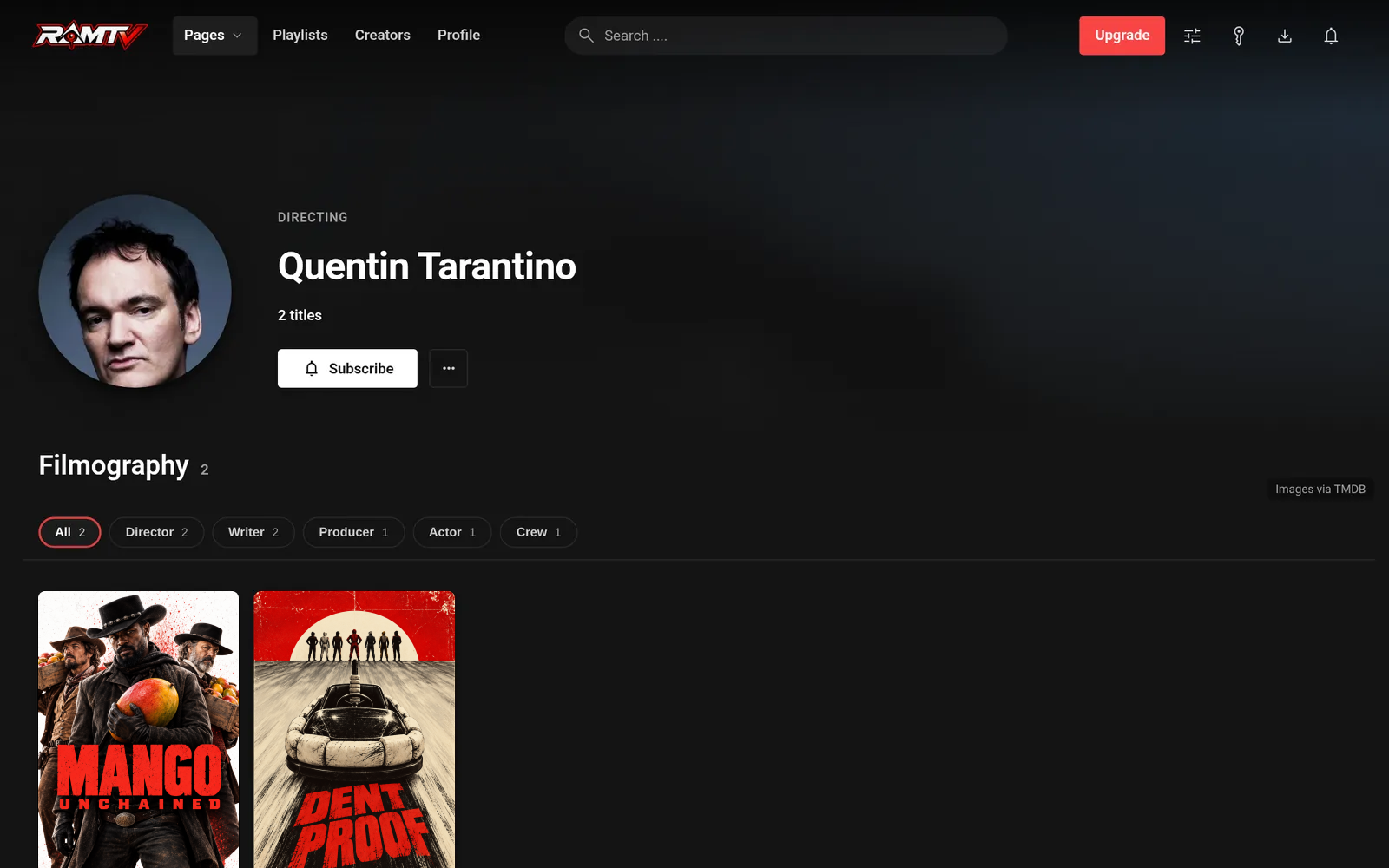
RamTV person page with filmography filtered by role
People One filmography across the catalogue, filtered by director, writer, producer, actor or crew.
ramtv · browse
RamTV browse page with filters
Browse Filter by year, price, tag, genre, language, company and country.
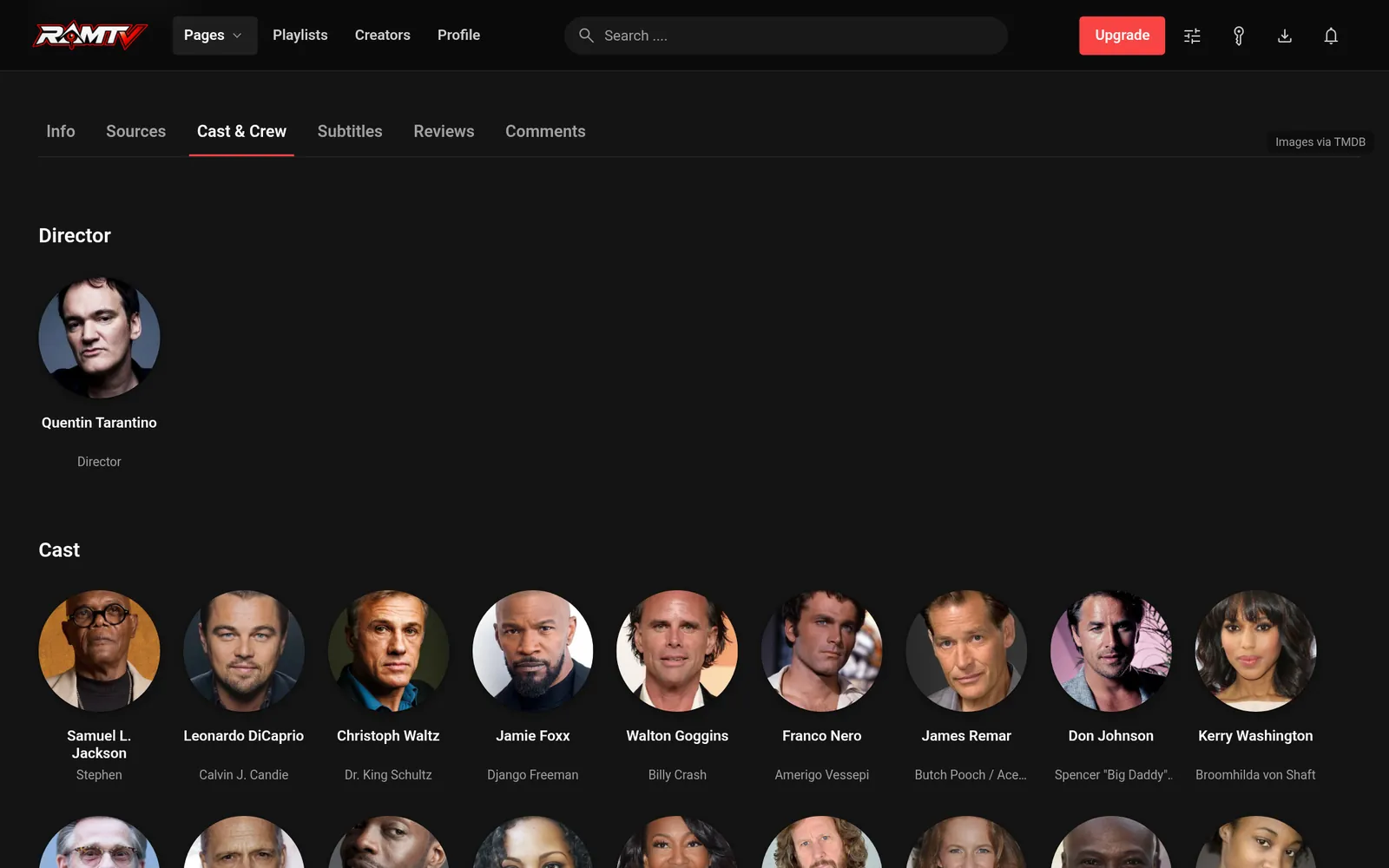
ramtv · cast & crew
RamTV cast and crew tab with character names
Cast & crew Who directed, and who played which character.

Screens from a free, non-commercial RamTV demo install. Film and TV data and artwork by TMDB.

Catalogue

Built for film and TV. Not a video add-on.

Movies and series each get their own engine — their own sources, subtitles and scheduled imports — while sharing the people, companies and taxonomy that make a catalogue feel connected.

MoviesIn the base product
  • Posters, backdrops, logos & trailers
  • Collections & franchises
  • Movie-level sources & subtitles
  • Its own scheduled import jobs
TV seriesPremium plugin
  • Series → seasons → episodes
  • Episode-level sources & subtitles
  • Refresh one episode, not the show
  • Its own scheduled import jobs
Shared by bothOne filmography, one taxonomy, across films and series PeopleCast & crew creditsCompaniesGenresTagsCountriesLanguagesSearch
Your server and your storage — PHP and MySQL/MariaDB, with video on local disk, S3, R2, Bunny or another supported backend
Automation

Metadata without the grind.

Nobody should type in thousands of cast credits by hand. Pick the titles, and RamTV brings in the details, credits, artwork and translations — then keeps movies and series fresh on their own schedules.

  1. 01PickTitles, people or collections.
  2. 02ImportDetails, credits, images, logos and translations.
  3. 03ConnectEvery actor and genre links into your catalogue.
  4. 04RefreshMovie and TV jobs run independently — down to one episode.
Metadata
  • TMDB · movies
  • TMDB · TV
  • Trakt
  • Movie bulk importer
  • TMDB image download
Ratings
  • IMDb
  • Rotten Tomatoes
  • Metacritic
  • Letterboxd
  • Trakt
Subtitles
  • OpenSubtitles
  • SubDL
  • SubSource
  • Your own uploads
Trailers
  • YouTube

Integrations are optional and use your own accounts and API keys; each service's terms apply to how you run yours.

Viewer journey

Eight reasons to press play again.

Every viewer gets personal shelves built from what they watch, like and save — from your own catalogue, TMDB, or both. A shelf only ever shows titles the viewer can actually play.

  • Continue watchingresumes to the second
  • Up nextfirst unwatched episode
  • Because you watched Northboundmore like the last one
  • Recommended for you
  • Complete the collection
  • Favourite-genre picks
  • Watchlist, ready now
  • Forgotten favourites
Shelves as a viewer sees them — illustrated with original artwork.
Player

A player built for binge-watching.

It picks up where each viewer stopped, finds the next episode, speaks their language, and throws the picture to the TV.

HLS streamingMP4Quality switchingSubtitlesYouTube trailersGoogle CastPicture-in-picturePlayback speedKeyboard shortcuts
Video ads

Ad breaks viewers tolerate.

Plug in any VAST or VMAP ad server and sell demand you never had to find — or run your own campaigns. RamTV places the breaks with a broadcaster's restraint.

Pre-roll 20′ 35′ 50′ 65′
0′112′
The default schedule on a 112-minute film: nothing in the first or last five minutes, a break every 15 minutes, never more than four. Every value is a setting.
  • Pre-roll and mid-roll breaks, from VAST tags or a VMAP schedule
  • Mid-rolls spaced by the minute, with a hard cap per title
  • No breaks in a title's opening or closing minutes
  • Resuming never replays a pre-roll
  • Skippable after a countdown, with click-throughs
  • Impressions, quartiles and clicks reported per campaign
  • Roles and paid plans can switch every break off

Video ad breaks run on the website and the installable web app; the store-built mobile apps use AdMob.

Access & revenue

Free, subscribed, bought or rented.

The Netflix model, the store model and the free-with-ads model can run on one site — decided per title and per viewer role.

  • Free Open titles for everyone, with or without ads.
  • Subscriptions Plans that unlock premium titles and remove ads.
  • Purchases Permanent access to a film or an episode.
  • Rentals A purchase with a clock on it, set in hours per role.
  • Video ads Pre-roll and mid-roll breaks from any VAST or VMAP ad server.
  • Rental windows are set per viewer role, in hours
  • Player, episodes and badges expire together, to the second
  • Rentals never offer downloads that would outlive them
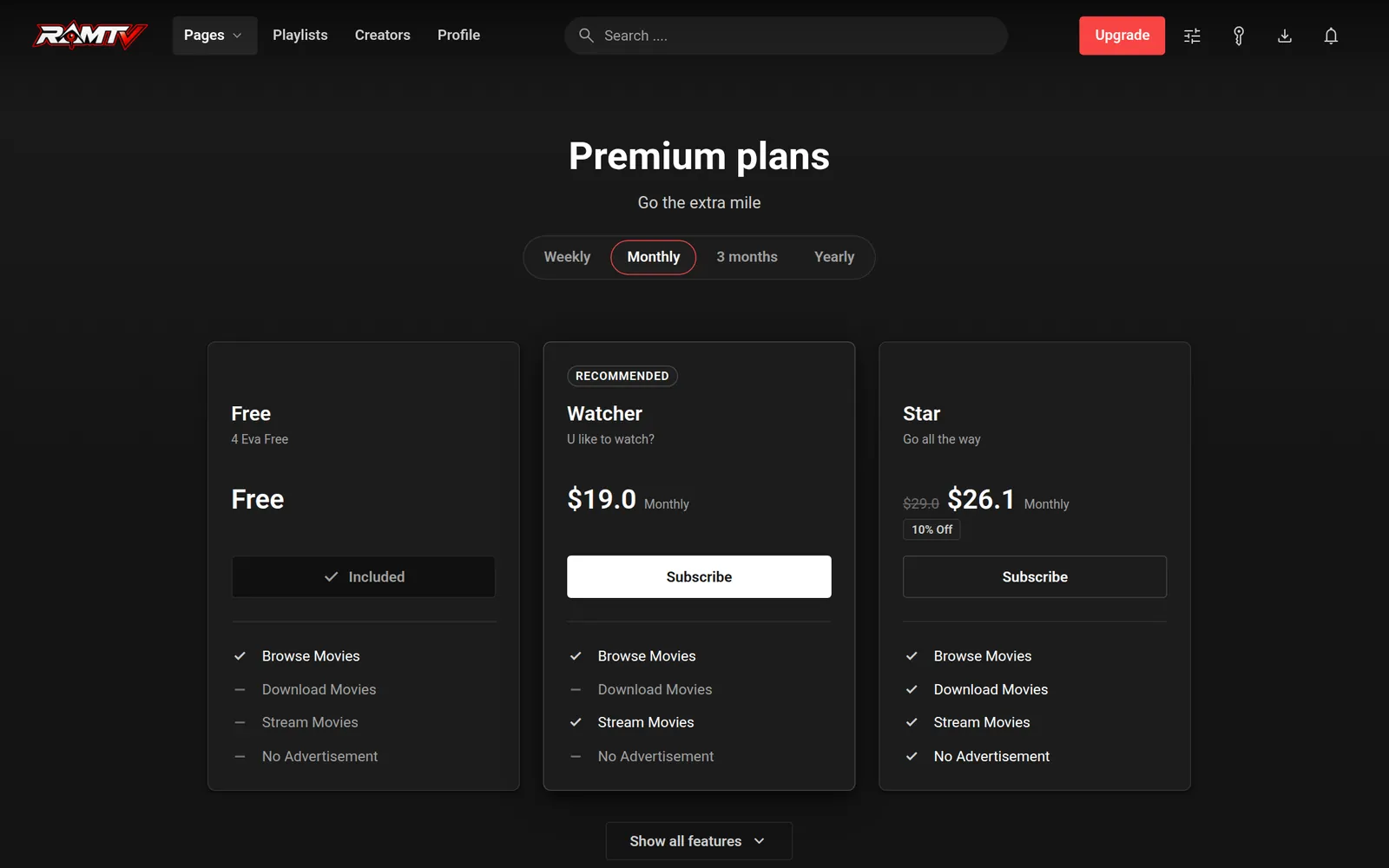
ramtv · subscription plans
RamTV subscription plans page
Plans with weekly, monthly, quarterly and yearly billing — each deciding what a viewer can stream or download, and whether ads are shown.

Let trusted members grow the library.

  1. Grant a roleOnly members you trust get upload rights.
  2. No duplicatesA title that already exists is caught, not created twice.
  3. Free by designUploaders never set prices — pricing stays with you.
  4. Locked when syncedTitles synced with TMDB are managed by automation.
Every screen

Your service, on every screen.

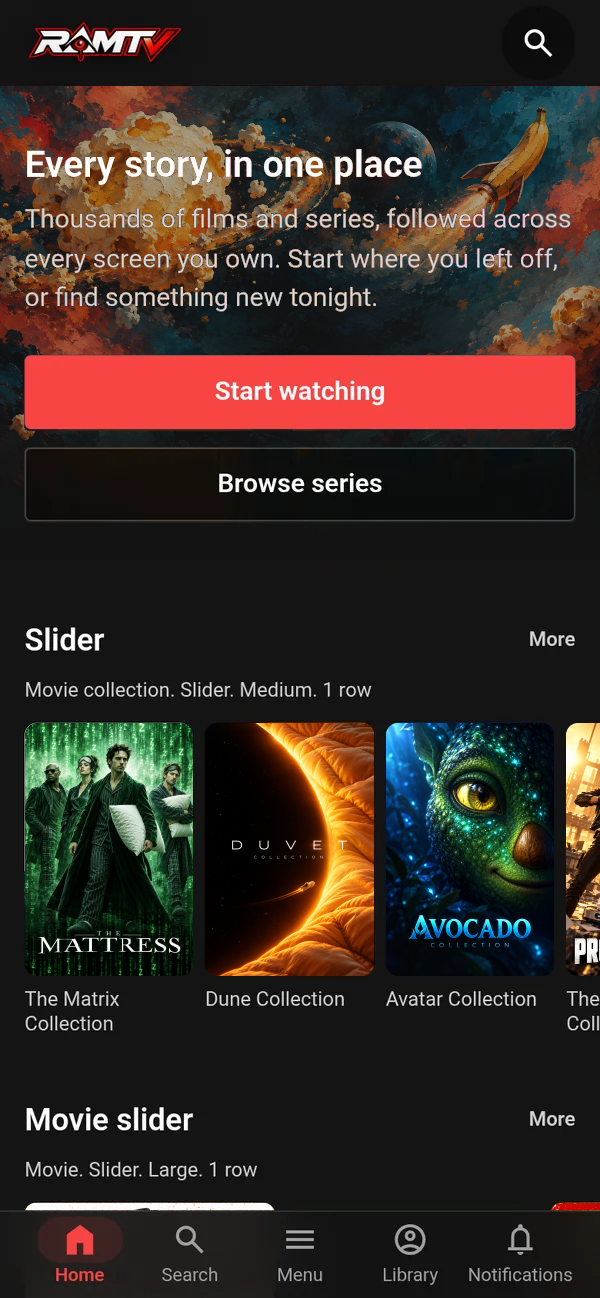
Pages are composed from PageBuilder widgets in the browser, a dedicated mobile layout carries them to phones, and viewers can install the whole service to their home screen.

From the same free, non-commercial demo install — posters and artwork by TMDB.

  1. PageBuilderHero sliders, title rows, grids and landing sections, bound to your catalogue.
  2. Mobile layoutIts own phone interface, with a bottom tab bar and touch-sized controls.
  3. Installable appA Progressive Web App with push notifications — no app store needed.
  4. Store appsThe Hybrid Mobile App add-on builds Android and iOS apps of your service.
  • One admin panel Catalogue, automation, viewers, money and design — with multi-edit for hundreds of titles.
  • Roles & moderators Decide who watches, rents, buys or uploads; give moderators a slice, not the keys.
  • Plugins & updates Add-ons and new releases install from the panel.
  • Any language, full RTL Translate every label and record; the interface mirrors for Arabic, Persian and Hebrew.
  • Search & SEO Titles, people and taxonomy searchable; server-rendered pages and sitemaps.
  • Firewall & captcha Bot detection and rate limiting, with Turnstile, hCaptcha or reCAPTCHA.
15 Storage backends Video is heavy. Keep it off the server that runs your site.
  • Amazon S3
  • Cloudflare R2
  • Backblaze B2
  • Wasabi
  • Storj
  • MinIO
  • DigitalOcean Spaces
  • Hetzner Object Storage
  • Oracle Cloud Object Storage
  • Azure Blob
  • Google Cloud Storage
  • Bunny
  • CDN77
  • FTP
  • Local disk
Payments

Payments: what's built in, and what's an add-on.

RamTV takes card payments out of the box. Regional gateways — the ones your viewers in Lagos, Mumbai or São Paulo actually use — come with a separately sold plugin.

Built into RamTV 2
  • Stripe
  • PayPal

Plus offline or bank-transfer instructions you write yourself.

Gateway setup guide
Extra Gateways plugin Sold separately +28
Africa
  • Paystack
  • Flutterwave
  • Pesapal
  • Chapa
  • CinetPay
  • FedaPay
  • KKiaPay
Middle East & North Africa
  • Moyasar
  • PayTabs
  • FawryPay
  • ZarinPal
  • Telr
  • MyFatoorah
Latin America
  • Mercado Pago
  • PagBank
  • dLocal
Asia
  • Razorpay
  • Cashfree
  • Xendit
  • PhonePe
  • PayU
  • Instamojo
  • Midtrans
Europe & worldwide
  • Mollie
  • Paddle
  • Airwallex
  • YooMoney
  • MoneyPoolsCash

Extra Gateways is a premium plugin, bought separately and linked to one licence. It is included in the RamTV Bundle.

Pricing & licence

Buy it once. Own it.

A one-time purchase, installed on your own hosting. No subscription to keep it running and no revenue share on what it earns.

One domain per purchase code
Reinstall on that domain as often as you like.
One licence reset
Move to a new domain once — so settle on hosting before you install.
Lifetime updates
Every update, upgrade and security fix, free.
6 months of support
1-on-1 help, extendable any time from the store or Envato.
Premium plugins
Each one is linked to a single licence.
Run it as a business
Subscriptions, sales and ads are what it's for — no extended licence needed.
Read the full terms of usage
RamTV $49one-time

The movie platform, complete.

  • Movie catalogue, collections, people and credits
  • Metadata automation and ratings tools
  • Player with sources, trailers and subtitles
  • Viewer accounts, watchlists and personal shelves
  • Subscriptions, purchases and time-limited rentals
  • Stripe and PayPal built in
  • PageBuilder, admin panel and the Syber theme
  • 6 months of support
Get RamTV
Best value
RamTV - Bundle $119one-time
This bundle includes:
RamTV + 6 months support
$49
Messenger - plugin
$10
$20 On Envato
Affiliate Program - plugin
$10
$20 On Envato
User Points - plugin
$10
$20 On Envato
Crypto gateway - plugin
$20
Extra Gateways - plugin
$10
Hybrid Mobile App - plugin
$30
$50 On Envato
Show all 9 itemsShow fewer
Video Ads - plugin
$20
TV - plugin
$15
Bought separately$174
You save$55 (32%)
Bundle price$119
Get the RamTV - Bundle
Plugins & tools

Add what you need. Nothing you don't.

The licence is the whole movie platform. Plugins add TV, payments and community features; free tools bring in metadata. Each installs from the admin panel's plugin manager.

Plugin What it adds Availability
Formats & content
Movies The film engine: movies, collections, sources and subtitles Included
TV Series, seasons and episodes Add-on
Money & payments
Extra Gateways 28 regional payment gateways Add-on
Affiliate Program Partners who send traffic, tracked and paid Add-on
Video Ads VAST and VMAP ad breaks in the player Add-on
Community
Messenger Direct messages and group chats Add-on
User Points Points and badges for being active Add-on
Apps & themes
Hybrid Mobile App Android and iOS apps of your platform Add-on
Automation & tools
TMDb Download Download TMDB artwork to your own storage Free tool
Movie Bulk Importer Scan and import a film library in bulk Free tool
Lorem AI AI-generated data and artwork for your items Free tool
AI Translator Translate the whole app with AI Free tool
Sitemap Generator Sitemaps in a few clicks Free tool
Archiver Scheduled backups of database and files Free tool
1-click demo importer Import a finished demo in one click Free tool
AdBlock Blocker Block ad blockers on your platform Free tool
cURL Proxy Route outgoing API requests through a proxy Free tool
Fake user generator Placeholder users for testing a fresh install Free tool

Add-ons are bought separately and each is linked to one licence; the RamTV Bundle includes all eight paid plugins. Current prices are on the store.

Capability index

Everything, itemised.

36capabilities in 6 groups — for the moment you want to check one specific thing.
01 Your screen catalogueDedicated structures for films, series, seasons and episodes 6
Movies and TV are separate engines Film and television each have their own source, subtitle and automation workflows, rather than being two labels on one generic video record
Series, seasons and episodes With the premium TV plugin, organise a show the way viewers expect: a title page, season structure and individual playable episodes
Connected people and credits Cast, crew and people records are shared across movies and TV, so one filmography connects the entire catalogue
Shared taxonomy Genres, tags, companies, countries and languages link titles across both media types for cleaner discovery
Collections and artwork Keep franchises, posters, backdrops, logos and trailers alongside the title information viewers need
Searchable catalogue Structured title, person and taxonomy data gives viewers more useful routes into a large library
02 Metadata without the grindEnrich and refresh titles through the services you choose 6
TMDB movie and TV enrichment Bring in title details, images, credits, collections, identifiers, tags, translations and recommendations through dedicated movie and TV flows
Person and filmography workflows Refresh a person and connect their movie or television credits back into the local catalogue
Ratings-source tools Optional IMDb, Rotten Tomatoes, Metacritic, Letterboxd and Trakt integrations support a richer catalogue where you configure them
Episode-aware refreshes Refresh a specific TV episode through its season rather than re-running a whole-show import for one changed record
Scheduled jobs Run long catalogue work in the background, with movie and TV controls kept independent
Bulk import path Bring an existing library into RamTV in batches instead of building every record one at a time
03 A viewer journey, not a static shelfProgress, watchlists and recommendations that respect what is playable 6
Continue watching Resume films and episodes from the saved position, with the next play action ready on the following visit
Up next Surface the first unwatched episode after the furthest episode a viewer completed in each active series
Recommendations for each viewer Build recommendations from watched titles, likes and watchlists using local catalogue relationships, TMDB, or both
Finish the collection Bring the remaining films in a started collection or franchise back into view
Favourite-genre and rediscovery shelves Show strong titles from the genres a viewer values, and revive favourites that have not been watched for a while
Watchlist, when ready A dedicated shelf only shows watchlisted movies or series once a playable source exists
04 Playback, sources and subtitlesThe details that make a screen catalogue usable 6
Movie and episode sources Manage sources at the level that matters: a film itself or an individual episode inside a series
Subtitle workflows Find, download, store and present subtitle files with language handling for both movies and television
Trailer support Keep trailers next to title information so a viewer can decide before committing to the full playback
Progress indicators Cards and episode rows can reflect what a signed-in viewer has watched and where they paused
Honest access controls A title only presents a play action when a compatible source and the viewer's access actually allow it
Language-aware experience Translate interface and catalogue content, with right-to-left support in the shared platform layer
05 Ways to run the businessFree access, subscriptions, purchases and time-limited rentals 6
Viewer accounts and roles Set what guests, members and staff can view or manage, without giving every moderator full control
Subscription plans Use recurring access plans where a catalogue or audience model calls for them
One-off purchases Sell permanent access to individual eligible titles or episodes
Time-limited rentals Give a role rental access for a chosen window; expiry is enforced consistently in player and episode access
Rental-safe delivery Rental access does not expose downloads that would outlive the rental period
Payments on your terms Use the platform's payment options and the gateways available for your installation and audience
06 Operate and shape it yourselfAdmin control without turning every change into a development job 6
Purpose-built admin Manage catalogue records, users, automation and configuration from one panel
PageBuilder Compose catalogue-led pages, sliders and landing sections in the browser instead of editing templates
Statistics and logs Monitor activity and use the platform's operational tools to understand what is happening
Plugin manager Install and configure product extensions through the administration workflow
External storage Keep media outside the application server with the storage configuration that fits your infrastructure
Progressive web app foundation Give viewers an installable web experience while keeping the service under your domain and hosting
Deployment

From a zip file to a running service.

Ordinary PHP and MySQL/MariaDB hosting runs the site. The installer checks your server and does most of the work; one cron job runs the imports and background processing.

  1. 01 Terms of usage Licence, domains and support coverage
  2. 02 Upload Download the files and your purchase code
  3. 03 Requirements PHP extensions and server options checked by the installer
  4. 04 License Verify the purchase code and fetch the certificate
  5. 05 Database Create the database and enter its credentials
  6. 06 Server Configure cron, rewrite rules and timezone
  7. 07 First run Remove the installer and configure the application
Then the one page about your host. Each guide covers only what that panel, server or cloud does differently. Streaming video is heavier than audio: a VPS and external storage are recommended from the start.
Documentation, support & releases

You won't be on your own.

What support covers

  • 6 months of 1-on-1 supportIncluded with every purchase; extend or renew whenever you like.
  • 1–3 business daysResponse time for clients with active support.
  • Bugs fixed for everyoneAnyone can report a bug; verified bugs are patched in upcoming updates regardless of support status.
Support & account

Recently shipped

  1. v1.0.05 RamTV core
  2. v1.0.03 TV
  3. v1.0.06 SyberF0n
  4. v1.0.05 Syber
  5. v1.0.04 RamTV core
  6. v1.0.03 Movies
Full changelog
FAQ

Questions people ask before buying.

Anything else — licensing, hosting, a feature you need — ask on my.busyowl.co.

Is RamTV a general video-sharing platform?
No. RamTV is built for film and television: movies, series, seasons and episodes, with the people, credits and collections around them.
Are TV series included?
Movies are the base product. Series, seasons and episodes come with the TV plugin, a premium add-on that shares the same people, genres and companies as your films.
Is it a subscription?
No. Each licence is a one-time purchase that includes every future update and 6 months of support. You install it on your own hosting, and there is no revenue share on what your platform earns.
Do I need an extended licence to run it as a business?
No. Subscriptions, sales and advertising are what these platforms are built for, and running them commercially does not require an extended licence. Each purchase code covers one domain.
How many domains does one licence cover?
One. You can reinstall on that same domain as many times as you like, and reset the licence once to move to a new domain. That limit isn't raised afterwards, so it pays to settle on your hosting and domain first.
Which payment gateways are included?
Stripe and PayPal are built in, along with offline or bank-transfer instructions you write yourself. The Extra Gateways plugin adds 28 more — Paystack, Flutterwave, Razorpay, PhonePe, PayU, Instamojo, Midtrans, Telr, MyFatoorah and others — and is sold separately; it is included in the RamTV Bundle.
Can I offer rentals as well as subscriptions?
Yes. A purchase can be permanent or a rental, depending on the viewer's role, and each role gets a rental window in hours. When it ends, the player, episodes and badges all lose access together, and rentals never offer downloads.
Do I need to enter all the metadata by hand?
No. RamTV imports titles, people, credits, collections, artwork, translations and episodes, and refreshes them on a schedule. The services you connect may need their own accounts or API keys.
Does it support subtitles?
Yes — at the level of the film or the individual episode. Upload your own, or find them through OpenSubtitles, SubDL or SubSource; viewers pick their language in the player.
Do I need to know how to code?
No. The catalogue, users, payments and settings are managed from the admin panel, and every page is designed in PageBuilder by arranging widgets. You do need PHP and MySQL/MariaDB hosting.
What hosting do I need for video?
The site runs on ordinary PHP and MySQL/MariaDB hosting, but video is heavy: a VPS and external storage such as S3, R2 or Bunny are recommended from the start.
Where are the demos?
Four public demos are open, each a complete service with its own model: Free (free.ramtv.busyowl.co), Store with plans, rentals and ads (store.ramtv.busyowl.co), Anime (anime.ramtv.busyowl.co) and a Subtitles library (subtitles.ramtv.busyowl.co). All of them are on the Demos page.
What does support cover?
Every purchase includes 6 months of 1-on-1 support, and you can extend it any time. Clients with active support get replies within 1–3 business days. Anyone can report a bug, and verified bugs are fixed in upcoming updates regardless of support status.


Your streaming service, on your terms.

Your server, your brand, your catalogue, your prices — built on the engine behind RKHM, shipping since 2021.

Building an audio service instead? RKHM →