



Installation
Installation - Requirements
PHP extensions and server options checked by the installer
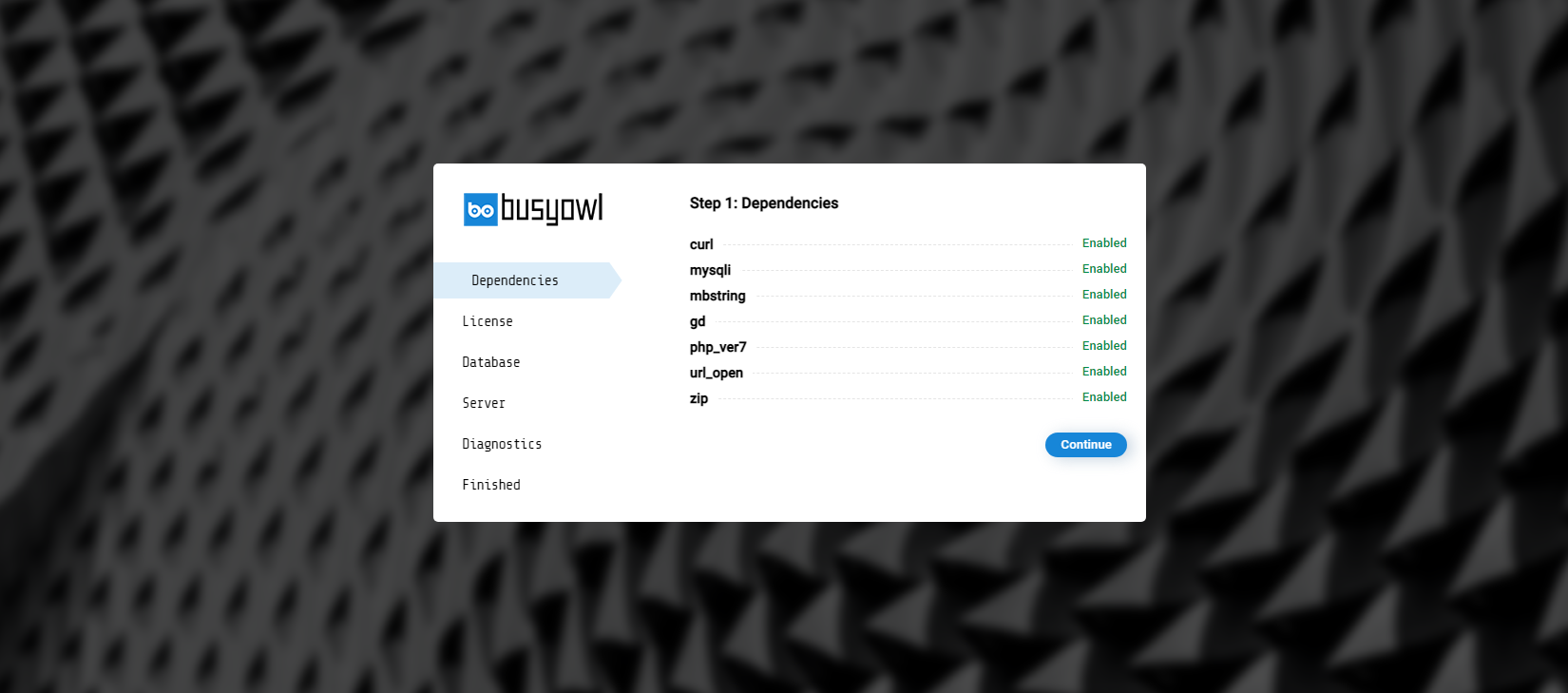
Installer will check most of dependencies ( listed below ) in step 1 of installation. All these extensions/options are necessary for script
- PHP: 8.3 or newer. The installer refuses to start on an older version
- cURL: PHP extension used to communicate with APIs
- MySQLi: PHP extension used to communicate with the database
- mbstring: PHP extension for multibyte text
- GD: PHP extension for images
- ZIP: PHP extension for ZIP archives
- allow_url_fopen: PHP setting used for remote URLs
Most basic servers can fully support RamTV
SSL Certificate
Besides better security, which is the main and obvious reason to own an SSL certificate, following features require SSL certificate:
- PWA features: RamTV is a PWA, it's much more advanced that a traditional website. Browsers will treat your app as a PWA only if it has a SSL certificate
- Offline downloads: the service worker that saves items for offline playback only runs on HTTPS ( or localhost ). HLS encryption itself works on HTTP and HTTPS, but encode your files after moving to your final address and protocol. See File Protection
- YouTube: If you wish to support YouTube videos, you have to operate on HTTPS protocol - or on localhost
You probably already have it if you use shared-web-hosting or your website can be accessed using HTTPS:// protocol. You can use acme.sh to generate free SSL for your VPS/VDS
Next - Installation - License