



Player
Playback behaviour, queues and what listeners can do
RKHM player can play more than audio files
Supported sources:
- Local or remote audio files. HLS supported
- Local or remote video files. HLS supported
- YouTube embedded player
- SoundCloud embedded player
- MixCloud embedded player, with the free MixCloud iFrame tool (added in v2.0.75)
A single item can have multiple sources with same or different types. Users can choose which one to play according to their access
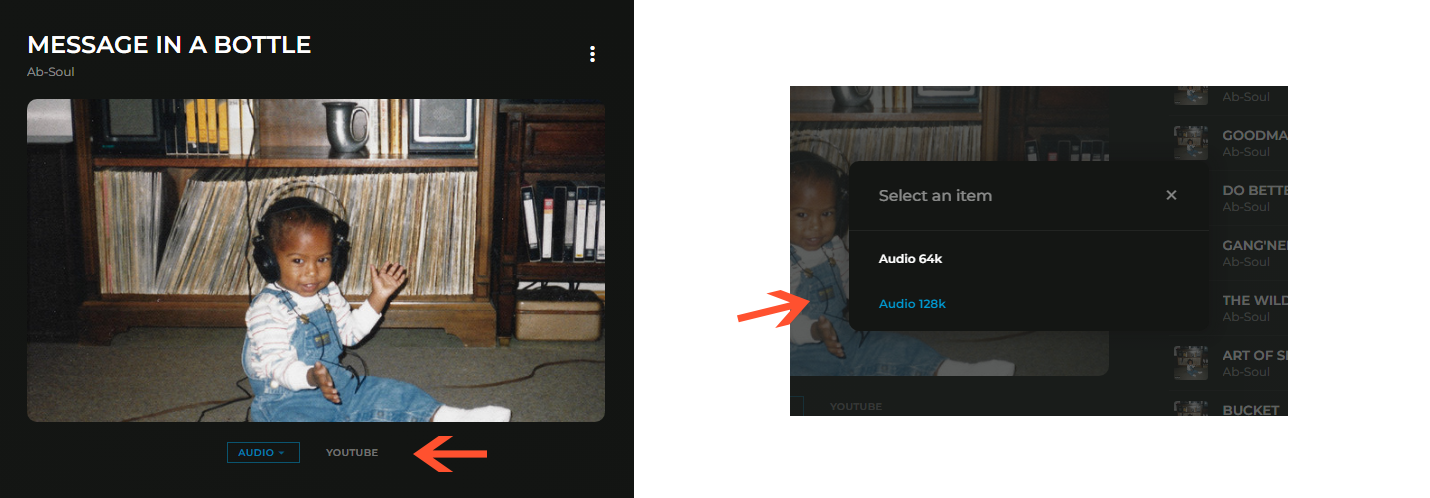
If user attempts to play an item or source that they don't have access to, a pop-up will appear, suggesting purchasing the item directly or purchasing a subscription plan which gives access to that item
How to create sources
We'll cover creating "music" sources. Podcast, radio & audiobook have similar functionality
First you need to add items. Add an artist, album, track. Then go to "RKHM admin-area -> Content -> Music -> List Sources" and click on "+ new item". Choose a target and select a type
Each type has extra inputs
For audio & video, you either have to enter the remote URL or upload a file
For YouTube, you have to enter YouTube ID which can easily be found in video's URL

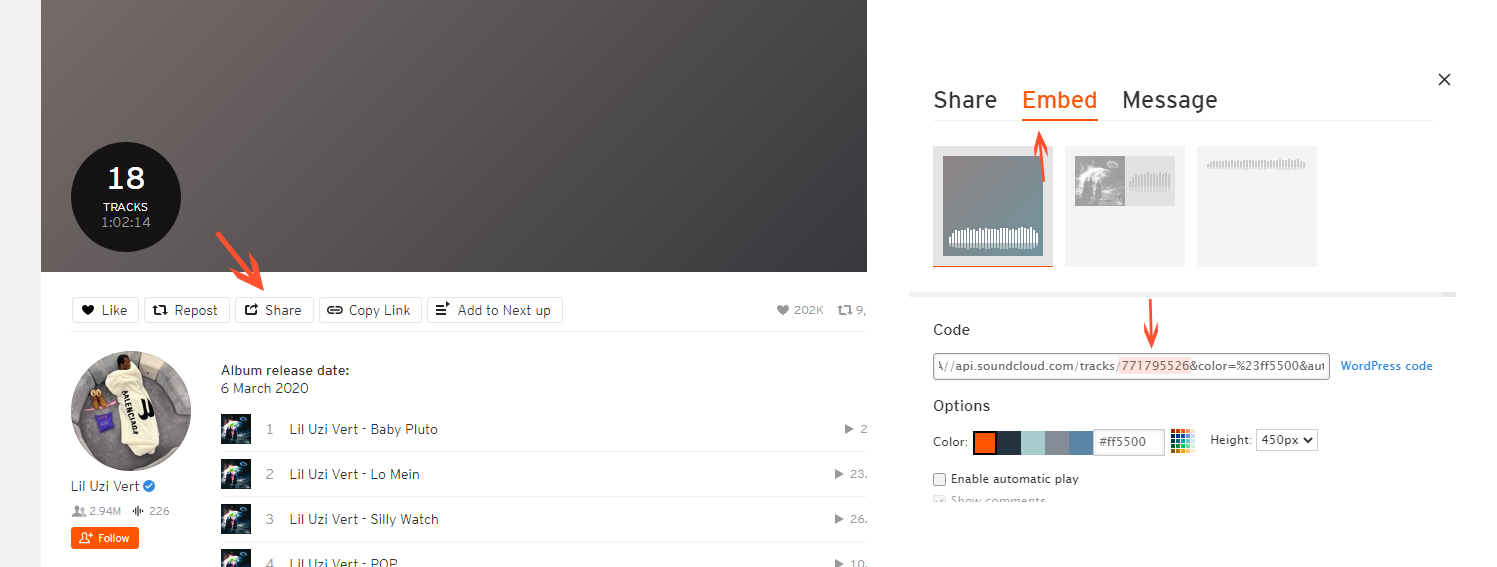
Getting SoundCloud embed ID is challenging. The item-ID ( presented in URL like YouTube ) differs from embed ID. You need to pass embed ID to script. To get it, go to SoundCloud and find your track, click on share, click on embed tab, find the ID within embed HTML code
What listeners can do
- Change the playback speed, shuffle and repeat, and like the item that's playing
- Set an auto-close timer, or close the player straight away
- Reorder the queue by dragging (desktop), and open the queue window with its lyrics and Infinite tabs
- Watch video and YouTube sources full screen
- Cast to a Chromecast device from Chrome
- See a waveform of the track while it plays, on supported themes — see Audiowaveform
Player settings
Setting → Interface → Player controls the player for everyone:
- Player: which source types can be played and downloaded, hiding the player or YouTube's frame, sharing with an embeddable player, and the Record Threshold — how many seconds someone must listen before a play is counted
- Queue: hide the queue window or its Lyrics and Infinite tabs, stop it opening automatically, and save signed-in listeners' queues between page loads
- Advertisement: when the first audio, video or YouTube ad plays for a new listener, how many minutes pass between ads, and whether (and after how many seconds) ads can be skipped — see Ads
- Report Limits: how many broken-source reports (dead YouTube videos, offline stations) are accepted per user, per IP address and per day
Which sources a role may play or download is set on the role itself — see Roles.